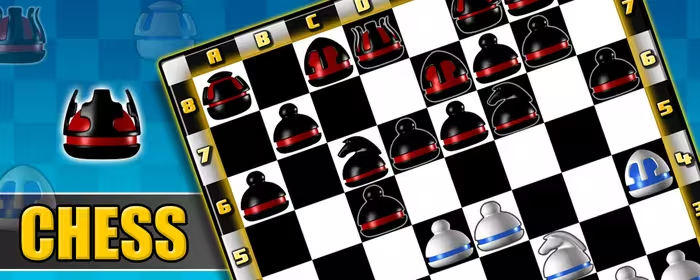
About FlyOrDie Chess
FlyOrDie Chess is a browser-based multiplayer chess game where you can play online against other chess players.
You can start a game as a guest without creating an account, or sign in to use features such as ratings, player statistics, chat and game settings. The game runs directly in a supported modern web browser on desktop and mobile devices.
FlyOrDie offers standard chess at several time controls as well as two alternative chess variants.
Whether you prefer a longer game or a fast one-minute match, you can choose the format that suits
the way you want to play.

Play Chess Online Against Other Players
The main FlyOrDie Chess game is multiplayer:
you play against other users online rather than following a predefined computer opponent.
Start as a guest or sign in with your account, then find another player and begin a match.
The Chess page also shows how many players are currently playing, making it easy to see when opponents are available.
The objective is standard chess:
checkmate the opposing king while protecting your own.
There is no random element in the game itself—the position on the board is determined entirely by the moves
made by the two players.
Rapid, Blitz and Bullet Chess
FlyOrDie lets you choose between several chess speeds.
The current standard time controls are Rapid 20', Blitz 5', Bullet 2' and Bullet 1'.
This means you can choose a slower game with more time to calculate or a very fast match where quick decisions and
clock management become an important part of play.
Rapid is the longest standard option on FlyOrDie Chess, while Blitz provides a shorter five-minute game.
Bullet is designed for very fast play and is available with two-minute and one-minute clocks.
Freestyle Chess and Pawn7
In addition to standard chess, FlyOrDie includes Freestyle Chess and Pawn7,
both currently played with a 10-minute time control.
Freestyle Chess, also known as Chess960,
changes the starting position of the pieces on the back rank.
The bishops begin on opposite-colored squares and the king starts between the two rooks,
but the exact arrangement varies.
The normal objective of checkmating the opponent remains unchanged.
Because the starting position is different, players cannot rely on standard opening sequences
in the same way as in traditional chess.
Pawn7 keeps the normal chess position but changes one important rule.
A white pawn reaching the seventh rank, or a black pawn reaching the second rank,
may remain a pawn or be promoted early to a rook, bishop or knight.
This creates positions and endgames that cannot occur in exactly the same way in standard chess.

Play as a Guest or Sign In
You do not need to register before trying FlyOrDie Chess.
Guest play lets you start playing immediately.
Signing in adds the persistent features of the site,
including your chess rating, match statistics, wins, chat and game settings.
A registered account also allows your activity to remain connected to your player profile across sessions
and devices instead of starting each visit as an anonymous guest.
Chess Ratings and Player Statistics
FlyOrDie uses an Elo-based rating system to measure player performance.
When a rated game is completed, the rating adjustment depends on the result and on the ratings of the two players.
Defeating a stronger opponent therefore has a different effect from defeating a much lower-rated opponent,
while draws are also evaluated according to the expected result.
Ratings are considered provisional during a player's first 20 matches.
A provisional rating is marked with an approximately equal sign (≈), and its effect on other players'
ratings is reduced until enough games have been completed.
Signed in players can also track statistics such as their rating, number of matches played and wins.
The Chess Rankings section provides another way to compare results with other players on FlyOrDie.
Chess Tournaments
FlyOrDie also runs scheduled chess tournaments.
Most tournaments are available to subscribed members, while some events are open to everyone.
Eligible players can check the tournament calendar and enter the designated tournament room at the scheduled time.
Tournament play provides a structured alternative to regular multiplayer matches,
while the normal chess rooms remain available for players who simply want to find an opponent and play.
Play Chess on Desktop or Mobile
FlyOrDie Chess uses HTML5 and works in supported modern web browsers.
It can be played on desktop computers, phones and tablets,
so you can use the same online chess service without installing a separate chess application.
For a quick game, choose Play as guest.
If you want ratings, statistics, chat and personalized settings, sign in before you play.
Then choose your preferred chess format—Rapid, Blitz, Bullet, Freestyle or Pawn7—and
start looking for an opponent.